AI-native. Mac-native. Yours.

Your AI-native
command centre.

Bring your notes, tasks, meetings, files, and tools into one private workspace. Build AI skills and agents visually, give recurring work its own instructions, and review the results alongside your notes.

No card required macOS 15+ Apple silicon + Intel

License purchases are temporarily paused while we get Notely ready for launch.

Install with Homebrew

Prefer the terminal? Install Notely with one command.

brew install --cask adeydas/notely/notelyHomebrew installation guide

Stay up to date with Sparkle

Sparkle is built into Notely. Choose Notely → Check for Updates and follow the prompts to download and install updates.

How app updates work
Notely Notes running on macOS with generic launch-planning data
Real Notely app Generic demo data
15 daysFree, full-featured trial
100% yoursReadable files on your Mac
6 AI providersBring the intelligence you prefer
One priceNo recurring Notely fee
Why Notely

Put your whole workspace within reach of AI.

Bring the context together, choose the intelligence, connect the tools, and decide exactly how private the result should be.

AI across the workspace

One assistant that can work across everything.

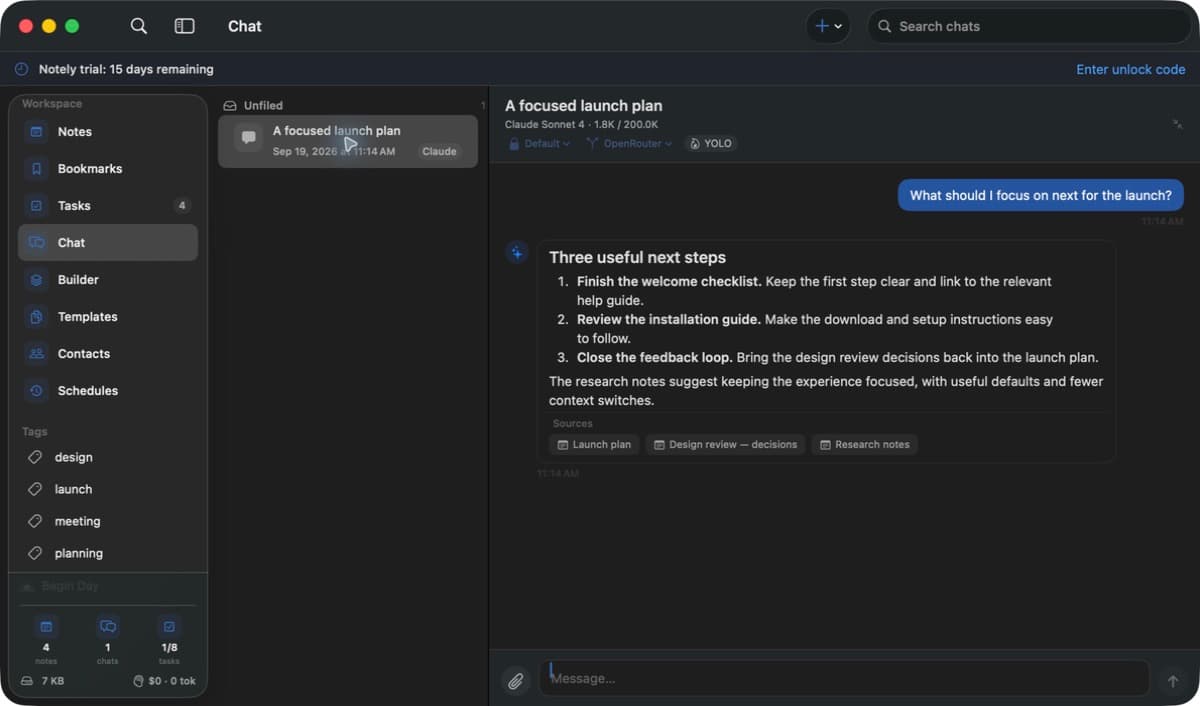
Ask across notes, tasks, chats, bookmarks, documents, meetings, and code references. Notely carries the relevant context into the conversation and links answers back to their sources.

Chat memory helps you pick up earlier discussions and keep useful preferences. Review, edit, or delete saved facts whenever you need.

NotesTasksFilesMeetingsBookmarksCode
Notely Chat using workspace context with source links

Privacy on your terms

As private as you want it to be.

Keep your workspace, OCR, and transcription on your Mac. Connect an AI provider or external tool only when it serves the way you want to work.

Keep localYour workspace and on-device processing
Choose connectionsYour provider, tools, folders, and approvals

Bring your preferred AI

Your provider. Your model. Your call.

Choose globally or switch for a conversation or scheduled run.

BedrockOpenRouterClaude CLICodex CLIOpenCodeKiro

Open tool connections

Connect any compatible tool through MCP.

Give Notely access to the tools your work already depends on, with the permissions you choose.

Skills and agents on schedule

Automate recurring work until it stops feeling like work.

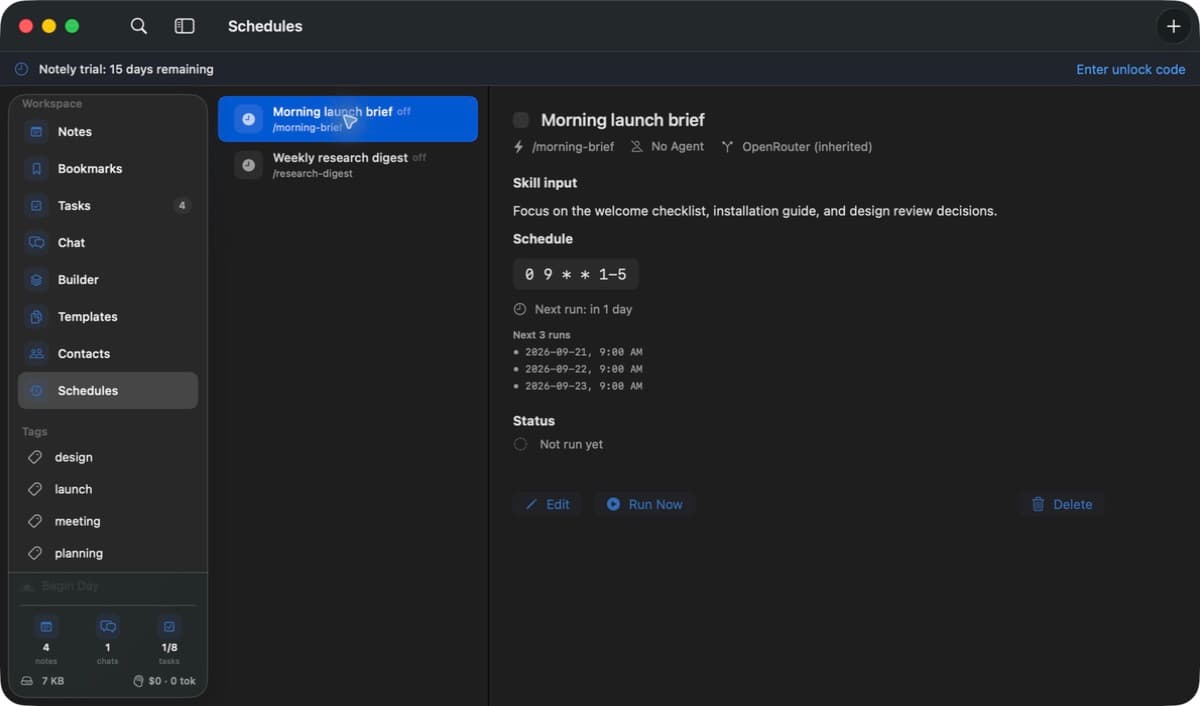
Build a skill visually, save the input it needs, and choose its agent and provider. Review run history and opt in to result notifications while Notely handles the routine.

Notely showing generic recurring skill schedules
Use cases

For the work you
actually do.

From a meeting recap to your next big idea, bring the context and the next step together.

Meetings & follow-ups

Leave with a clear next step.

Record and transcribe a meeting on your Mac. Review the decisions in a structured note, then keep follow-up tasks linked to that note.

Try asking

“Summarize the decisions and action items from this meeting.”

Explore meeting capture

Research & learning

Make sense of what you save.

Collect articles, PDFs, and reference notes in one place. Ask questions across your saved material and follow source links back to the details.

Try asking

“Compare these references and highlight where they disagree.”

Build your reference library

Daily & weekly planning

Give the week a little shape.

Turn a project into daily priorities, link tasks to your notes, and move work around the weekly board. Unfinished tasks roll forward with you.

Try asking

“Break this project note into a practical list of next steps.”

Explore daily planning

Writing & ideas

Take a thought further.

Capture an idea from any app, develop it in Markdown, and use your notes as context for a draft. Save a template for the work you write often.

Try asking

“Turn these notes into an outline for a project brief.”

Start with a reusable template

Development & documentation

Keep the why beside the code.

Add a local repository as a reference alongside your project notes. Ask focused questions about the code and inspect the source behind the answer.

Try asking

“Explain how this feature works and point me to the relevant files.”

Work with code references

Recurring work

Make a routine you can reuse.

Build a skill for a regular review or briefing, then schedule it with its own instructions. Review each result while Notely is open and your Mac is awake.

Try asking

“Review my open tasks and draft a weekly planning note.”

Set up a scheduled skill

AI requests use your chosen provider and the context you share. You can review the results alongside your original work.

Everything inside

Every part of your work,
in one command centre.

Build your skills and agents.

Start with a template, a blank draft, or an AI proposal you can review. Shape instructions with guided cards or a visual canvas, then pair a skill with an agent and try it in a conversation.

Prompt preview, undo and redo, and locally saved drafts keep you in control.

Read the guide

Give each schedule its own brief.

Save a URL, topic, or instructions with each schedule. Reuse a skill for different routines, choose its agent and provider, and preview upcoming runs before you save.

Test with Run Now. Schedules run while Notely is open and your Mac is awake.

Read the guide

Keep the outcome in view.

Open Recent runs for an output preview and the full conversation. Turn on notifications for a schedule to check its result against the expected output and get a short explanation.

Result checks support Bedrock and OpenRouter and can use up to two additional AI requests per run. Alerts are off by default.

Read the guide
Notely Chat showing a sourced workspace answer in the real macOS app
Real Notely app Generic demo data
01

AI command centre

Think, search, and act with the model you choose.

Run parallel conversations across your workspace, give them tools, and keep the result grounded with visible sources.

  • Saved parallel chats, folders, conversation search, and queued prompts
  • AWS Bedrock, OpenRouter, Claude CLI, Codex CLI, OpenCode CLI, and Kiro
  • Visual skill and agent builder with guided cards, a canvas, and AI drafts
  • Per-conversation agents, provider choice, skills, and sub-agents
  • Chat memory: recall earlier conversations and save, edit, or delete useful facts
  • Attachments, clickable citations, streaming responses, and stop controls
  • Workspace, file, browser, web, calculation, OCR, and image tools
  • MCP connections, command approvals, notifications, and HTML message export
  • A response writing guide and automatic or manual context compaction
  • Context, token, and estimated cost visibility while you work
Notely Schedules screen in the real macOS app
Real Notely app Generic demo data
02

Schedules & routines

Give recurring work its context. Keep the result in view.

Schedule a saved skill with its own input, agent, and provider. Review recent runs, or opt in to notifications that check the outcome.

  • Friendly schedule presets, custom recurring times, and a next-run preview
  • Saved URLs, topics, or instructions for skills that need input
  • Different input, agent, and provider choices for each schedule
  • Enable, disable, and test a schedule with Run Now
  • Optional notifications with Succeeded, Failed, or Couldn’t verify results
  • Recent runs with output previews and links to the full conversation
  • Result checks through Bedrock or OpenRouter when notifications are enabled
  • Per-schedule approval controls; schedules run while Notely is open
  • A configurable Begin Day routine for skills that need no extra input
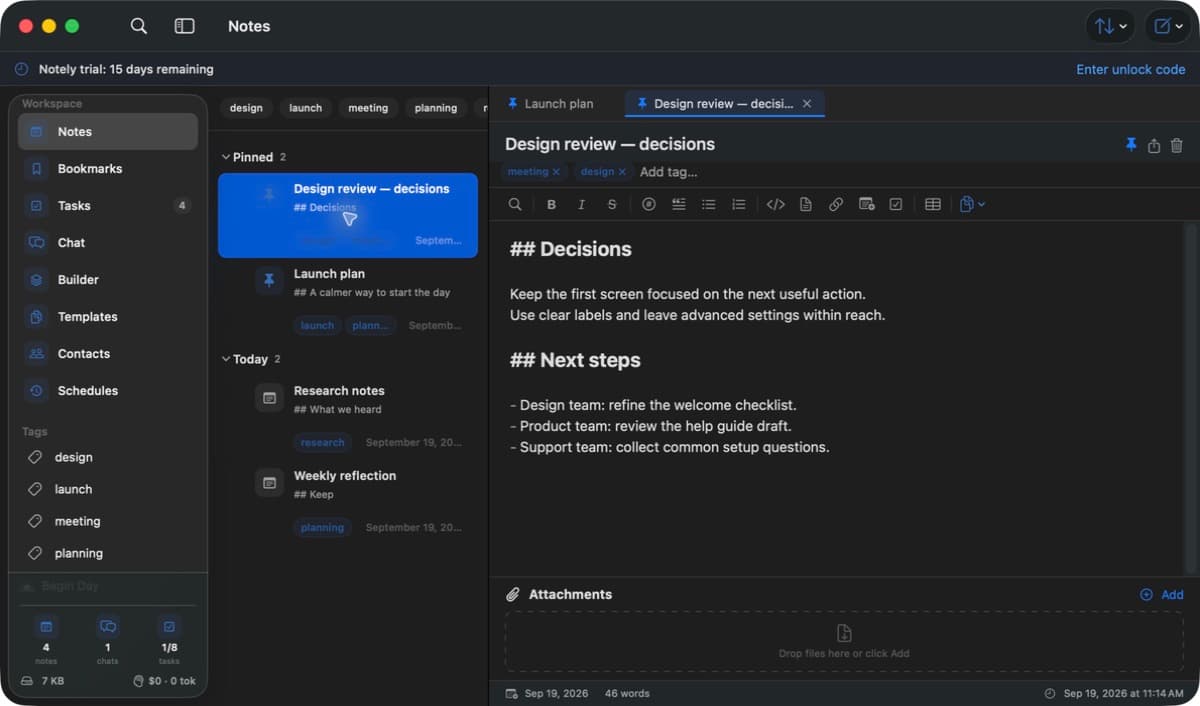
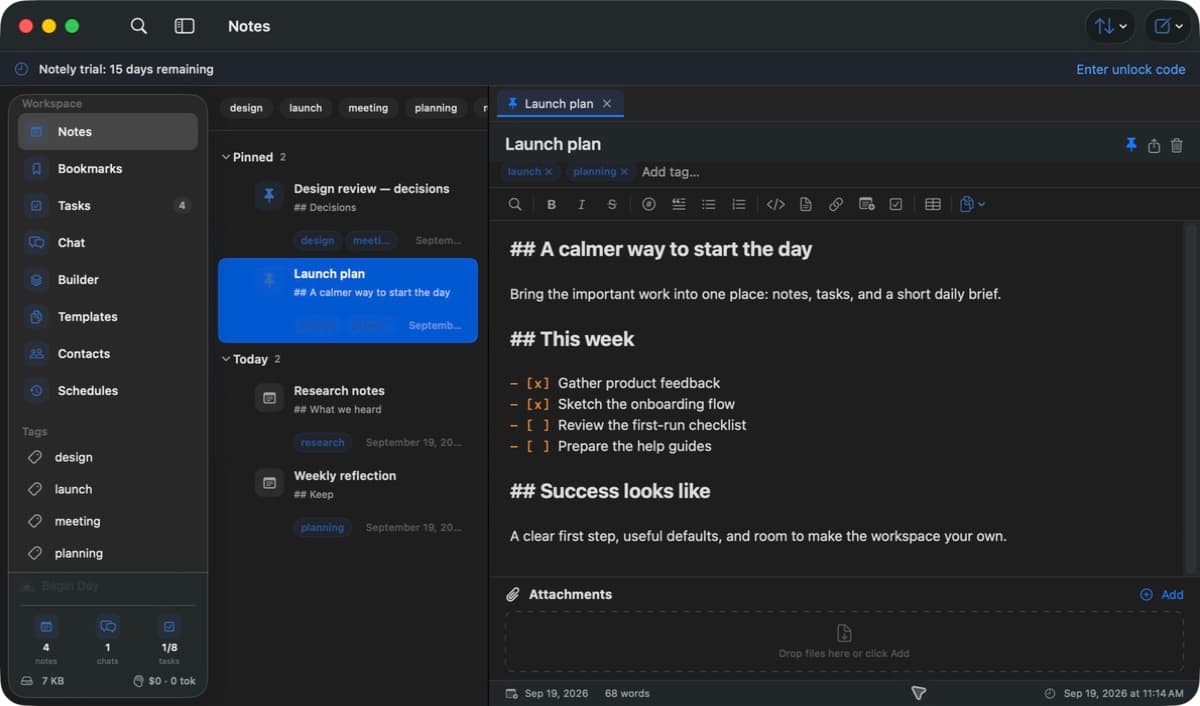
Notely Notes showing a launch plan in the real macOS app
Real Notely app Generic demo data
03

Notes & quick capture

A fast writing space that stays out of your way.

Capture a thought from anywhere, then shape it into connected, useful work inside a native Markdown editor.

  • Markdown editing with a formatting toolbar and syntax-highlighted code
  • Pins, tags, highlighted tags, note links, and multiple open tabs
  • In-note search, autosave, attachments, and drag-and-drop files
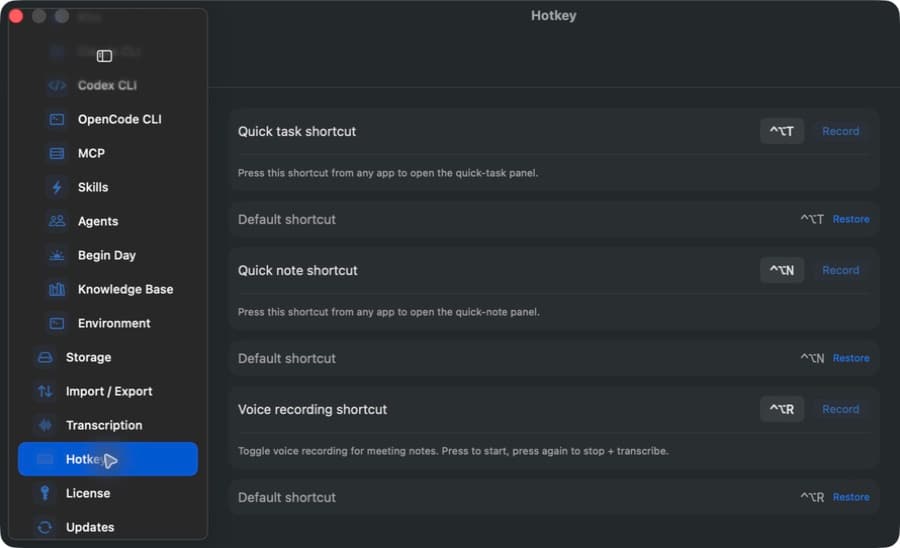
  • A customizable global shortcut for quick notes from any app
  • Multi-select actions, bulk organization, and Markdown export
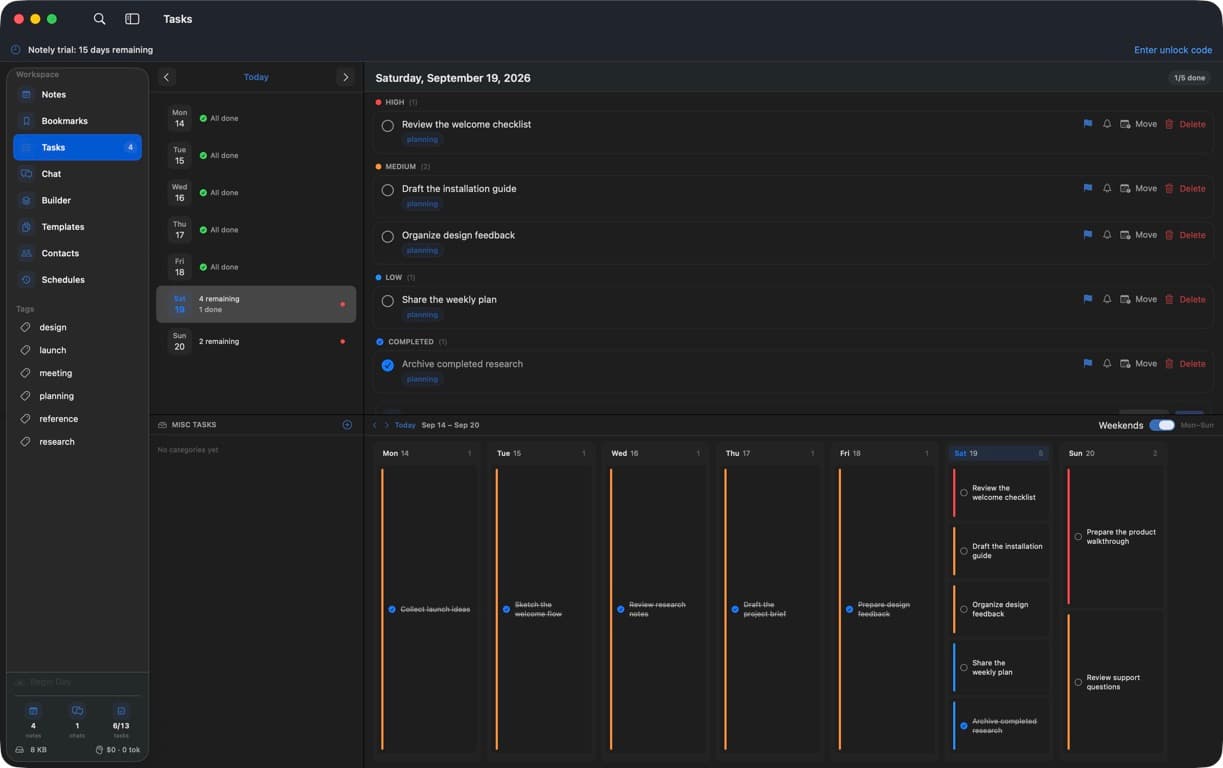
Notely daily task list and weekly planning board in the real macOS app
Real Notely app Generic demo data
04

Tasks & planning

Run today without losing sight of the week.

Plan by priority, move work between days, and let unfinished tasks follow you forward automatically.

  • Daily lists with high, medium, and low priorities
  • Progress at a glance, completion history, and task notes
  • Drag-and-drop weekly planning with an optional weekend view
  • Undated lists and categories for work that is not ready to schedule
  • Reminders, automatic rollover, linked notes, and tags
  • A customizable global shortcut for quick tasks from any app
05

Bookmarks & references

Keep the source material beside the thinking.

Build a working library from links, documents, repositories, and media—complete with notes and tags.

  • Web bookmarks with titles, site icons, and page details
  • Notes and tags for every saved reference
  • PDF, office document, text, spreadsheet, and image imports
  • Code references with automatic indexing and fast-forward Git sync
  • Automatic document summaries, local media transcription, and reprocessing controls
  • Reference-aware AI answers with links back to their sources
A meeting decisions note open in the real Notely macOS app
Real Notely app Generic demo data
06

Meeting capture

Stay in the conversation. Keep the decisions.

Capture meeting audio, turn it into a transcript on your Mac, and carry the useful parts into a structured note.

  • Microphone and system-audio capture with a customizable shortcut
  • Meeting detection for Zoom, Microsoft Teams, WebEx, and Slack
  • On-device transcription with downloadable model choices
  • A transcription queue with pause, resume, cancel, and progress controls
  • Speaker assignment using names and aliases from Contacts
  • Structured meeting notes, saved raw transcripts, and retry formatting
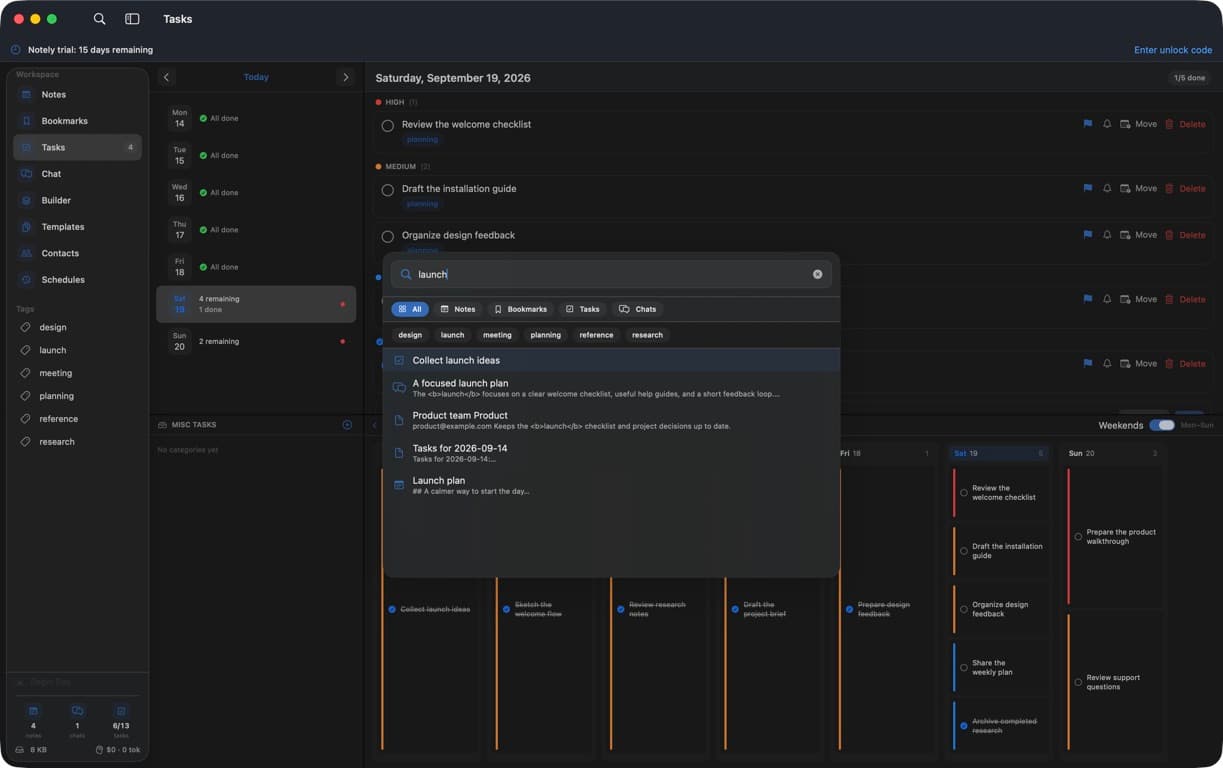
Notely command palette searching across workspace content in the real macOS app
Real Notely app Generic demo data
07

Command palette

Find the right thing without breaking your flow.

Press ⌘K to search the workspace, narrow the result type, or jump straight into creating something new.

  • One keyboard-first search across notes, chats, bookmarks, and tasks
  • Type filters and tag filters for faster narrowing
  • Direct jumps to Notes, Tasks, and Bookmarks
  • Quick actions for creating a note or bookmark
  • Dedicated search inside notes, chats, and contacts
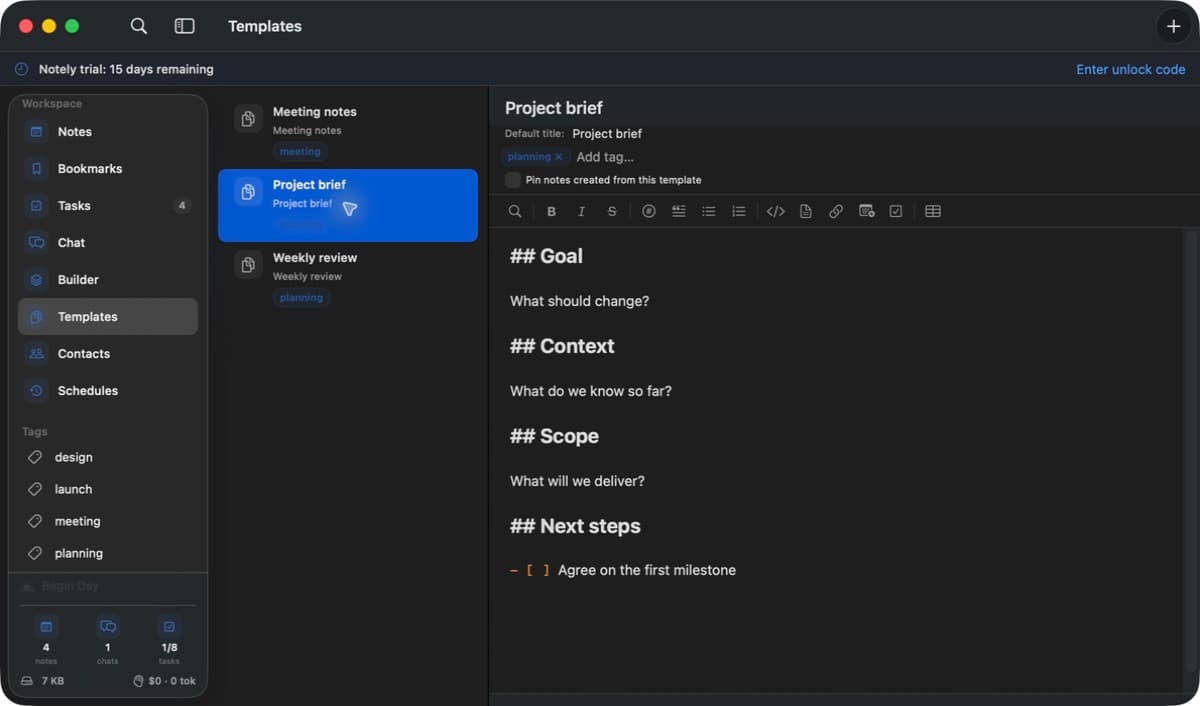
A project brief template in the real Notely macOS app
Real Notely app Generic demo data
08

Templates

Give repeatable work a reliable starting point.

Turn your preferred structure into a reusable note template, then start consistently without copying old documents.

  • Reusable note titles and Markdown bodies
  • Default tags for automatic organization
  • Optional pinning for notes created from a template
  • Create, edit, reuse, and remove templates from one library
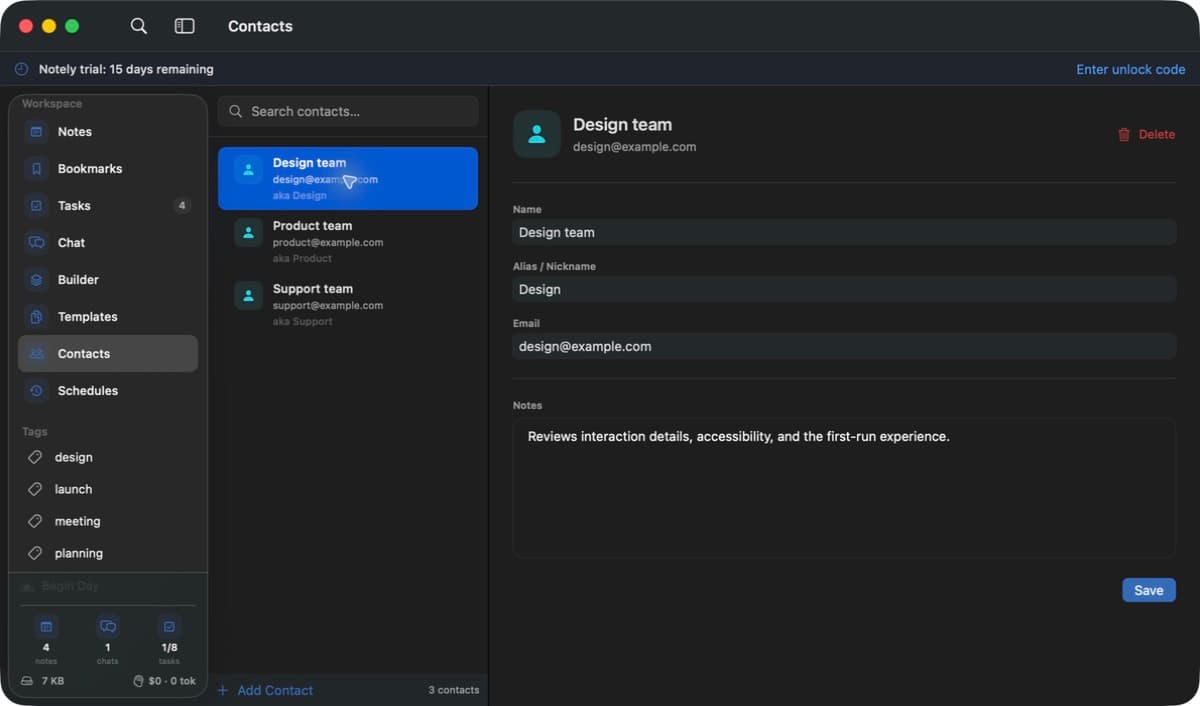
A generic team contact in the real Notely macOS app
Real Notely app Generic demo data
09

Contacts

Remember the people behind the work.

Keep lightweight contact context close to your notes and use familiar names to improve meeting speaker labels.

  • Names, email addresses, aliases, and useful notes
  • Fast contact search and editing
  • Aliases that help match speakers in meeting transcripts
  • A local people directory for richer work context
⌘K global searchFind anything without breaking flow.
Native macOSFast, familiar, and keyboard friendly.
Files, not a siloPortable data you can inspect and back up.
Always within reachQuick note and task hotkeys work anywhere.
Local by design

Your second brain shouldn’t belong to somebody else.

Notely starts with a folder you choose on your Mac. You control which services connect, which folders its tools can use, and which actions need approval. Local OCR and transcription keep more sensitive work on your device.

Folder-level permission Human-readable files On-device OCR + transcription Git-friendly workspace Secrets stored in Keychain Tool approval controls
Notely hotkey settings showing generic shortcuts in the real macOS app
Real Notely app Generic demo data
Founder’s Edition

One payment.
A lot more headspace.

We’re putting the finishing touches on Notely. Founder’s Edition purchases will open at launch. In the meantime, explore the app with a free trial.

EARLY
SUPPORTER
Notely Founder’s EditionOne-time purchase
CAD49.99

A permanent Notely unlock for one person.

  • Every Notely feature
  • Founder’s Edition unlock code
  • Apple silicon + Intel builds
  • No recurring Notely fee

License purchases are temporarily paused while we get Notely ready for launch.
Not ready yet?Take 15 days. Try everything.
Download free trial
Good to know

Questions,
meet answers.

Explore the public help guides, or send us a note.

Can I buy a license yet?

License purchases are temporarily paused while we get Notely ready for launch. You can explore Notely with the 15-day free trial in the meantime.

Does the 15-day trial need a credit card?

No. Download Notely and use every feature for 15 days. There’s no card, account, or automatic charge to begin.

What does the Founder’s Edition include?

It’s a permanent unlock for Notely at the early-supporter price of CAD 49.99. You pay once—there is no Notely subscription.

Where is my data stored?

In a folder you choose on your Mac. Your core content stays in readable, portable files that you can back up with iCloud Drive, Dropbox, Git, or any system you trust.

Does the price include AI usage?

Notely connects to your own provider or local CLI setup. Any model usage is billed by that provider; Notely shows token and estimated cost data so you can keep an eye on it.

Which AI providers work with Notely?

AWS Bedrock, OpenRouter, Claude CLI, Codex CLI, OpenCode CLI, and Kiro are supported. You can also connect external tools through MCP.

Can I build and schedule my own AI workflows?

Yes. Builder lets you create skills and agents with guided cards or a visual canvas, draft with AI, and try them in a real conversation. Save a custom skill, choose Schedule, and give each schedule its own URL, topic, or instructions. Scheduled runs need Notely open and your Mac awake.

How do schedule result checks and notifications work?

Turn on Notify when this schedule finishes for each schedule you want alerts from. Notifications are off by default. Notely infers the expected output from the saved skill and input, then checks the result and reports Succeeded, Failed, or Couldn’t verify. Checks support Bedrock and OpenRouter and use up to two additional AI requests per enabled run. CLI providers still run scheduled work, but completed runs report Couldn’t verify. Recent runs keep the output and a link to the conversation available for review.

Can Notely remember earlier chats?

Yes. Notely creates brief conversation summaries to help later chats pick up earlier work. You can also save useful facts or preferences with Add to Memory, then review, edit, or delete entries in Settings → Chat → Memory. Memory used in an AI request can be shared with your chosen provider; deleting an entry does not erase its original conversation.

What Mac do I need?

Notely requires macOS 15 or newer and runs on both Apple silicon and Intel Macs.

Put your work
in command.

One place for the context. One AI-native centre to move it forward.