
Create a contact
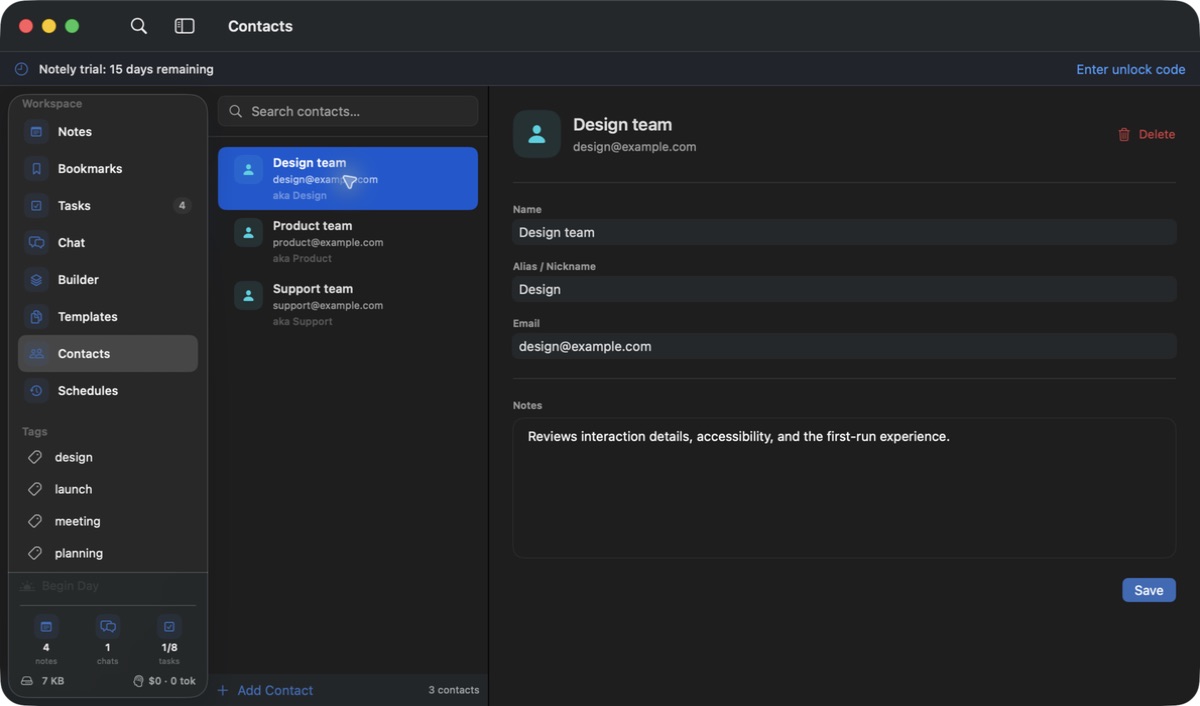
- Open Contacts and add a person or a generic team contact.
- Enter the name, email, aliases, and useful notes. Add names they commonly use in meetings as aliases.
- Use contact search to find and update the entry as details change.
Use contacts with meetings
Contact names and aliases can help identify speakers in meeting transcripts. Check the result yourself: similar names, unclear audio, and overlapping speakers can lead to incorrect matches.
If a speaker is mislabeled
- Review the contact’s aliases and avoid ambiguous duplicates.
- Correct the meeting’s speaker assignment and compare with the raw transcript. Adding a contact is useful context, not a guarantee of voice identification.
- Treat contact information as personal data when sharing a meeting note or asking a cloud provider to format a transcript.