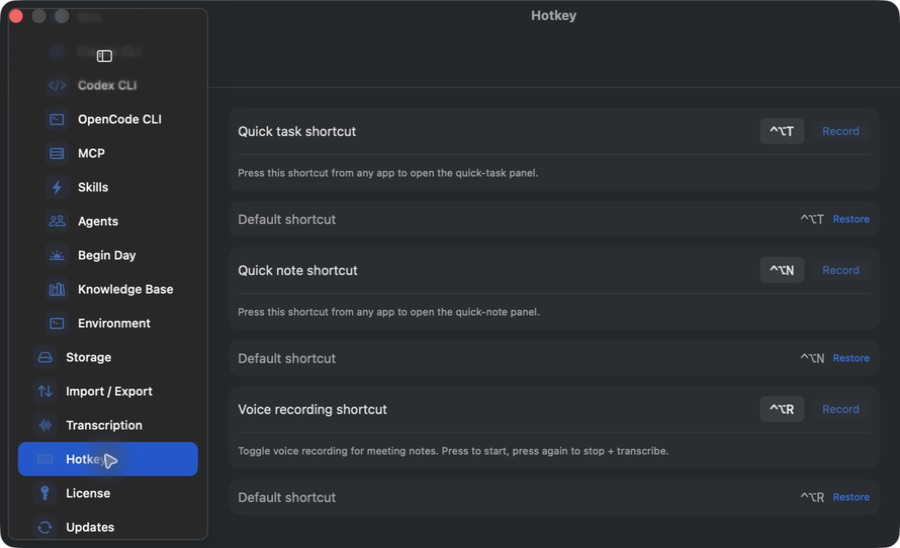
Open the command palette and capture notes, tasks, or audio from anywhere.
Everyday shortcuts
⌘K — command palette.
⌘N — new note; ⇧⌘B — new bookmark; ⇧⌘J — new conversation.
⌘F — find in the current note; ⇧⌘E — export the current note; ⌘? — Notely Help.
Set global shortcuts
Open Settings → Hotkey.
Record the combination you want for quick note, quick task, or voice recording. The default quick-note and quick-task combinations are Control–Option–N and Control–Option–T.
Test from another app while Notely is running. Use Restore if you need the default again.
Record a global shortcut for each capture action, or restore its default combination.Actual Notely app · Generic demo data Full size
If a shortcut is ignored
Check whether another app or macOS uses the same combination and choose an unused one.
Make sure Notely is running. For recording, also check audio permissions and the downloaded transcription model.
Keyboard layouts can change how a shortcut is entered; record the combination on the keyboard you use.